

How to Use Uber and Lyft: A Beginner Guide for Parents, Grandparents and New Riders |
Rideshare apps can make doctor visits, airport trips, nights out and family logistics easier once you know how pickup, payment, safety tools and tipping work. |
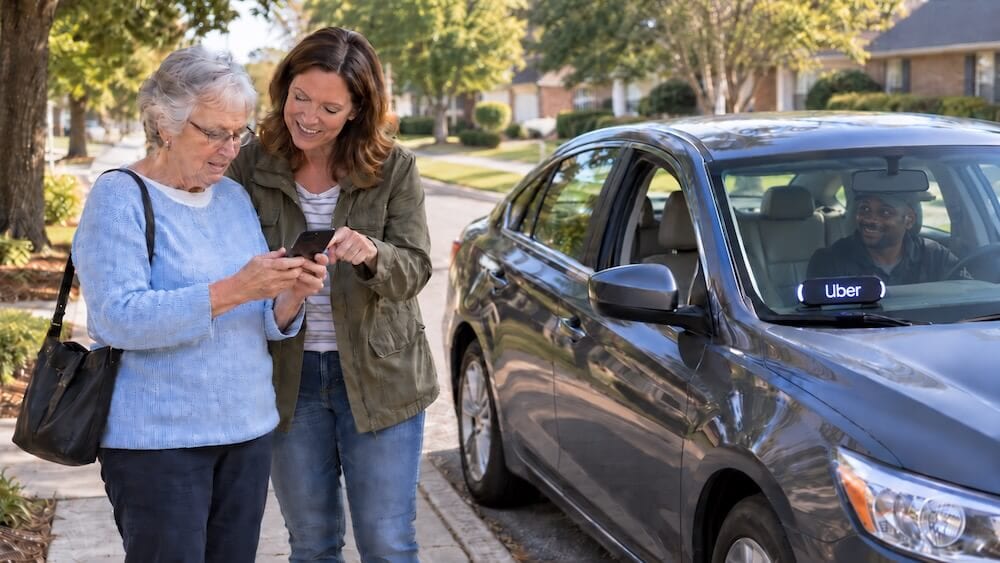
Uber and Lyft can feel confusing the first time you use them. There is no phone dispatcher. You do not hand cash to the driver. The price changes by time and demand. The car that arrives is usually someone’s personal vehicle.
Once you understand the basics, rideshare can be helpful. Parents can use it when a car is in the shop or when they just don't want to deal with parking. Older adults can use it for appointments, errands, airport trips or visiting family. Visitors can use it when they fly into Huntsville and do not want to rent a car for every short trip.
This guide is for people who are new to Uber and Lyft or helping a parent, grandparent or visiting relative feel more comfortable using them.
Uber: https://www.uber.com/
How Uber works: https://www.uber.com/us/en/ride/how-it-works/
Lyft: https://www.lyft.com/
How to request a Lyft ride: https://help.lyft.com/hc/en-us/articles/213584098-How-to-Request-a-Ride
What Is Rideshare?
Rideshare means you use an app to request a ride from a nearby driver. The app shows the pickup location, destination, estimated price, driver name, car make, car model, license plate and estimated arrival time.
Uber says riders can request a ride from the Uber app or from a browser. Lyft says riders can request rides through the Lyft app. Both platforms let riders enter a destination, review ride options and pay through the account instead of paying the driver directly.
For most people, rideshare works best for local trips, airport rides, medical appointments, dinner plans, hotel transportation and times when parking is hard.
How To Set Up the App
Download the Uber app or Lyft app from your phone’s app store. Create an account with your name, phone number, email address and payment method. A credit card, debit card or digital wallet is usually added inside the app.
Before the first ride, turn on location services so the app can find your pickup spot. It is still worth checking the map because the app can occasionally place the pickup pin on the wrong side of a building, parking lot or apartment complex.
Add your home address, work address or common destinations if the app gives you that option. It saves time later.
How To Request a Ride
Open the app and enter where you want to go. Confirm the pickup location. Then compare the ride options. You may see a basic ride, larger vehicle, comfort option or other choices depending on what is available in the area.
Check the price, estimated pickup time and destination before tapping the button to request the ride. Once a driver accepts, the app will show the driver’s name, rating, car, license plate and arrival time.
Do not step into the street or wander away from the pickup spot. Stay where the driver can safely pull over.
Safety Basics Before You Get In
The most important habit is to check the ride before getting into the car.
Match the license plate, car make, car model and driver photo in the app. Uber calls this “Check Your Ride” and also recommends asking the driver to confirm your name before you get in. Uber also offers a PIN verification feature in some areas, where the rider gives the driver a 4-digit PIN before the trip starts.
Do not get into a car because someone says, “Uber?” or “Lyft?”
Make the car match the app.
Sharing Your Trip With Family
Both Uber and Lyft have tools that let riders share trip details with someone they trust.
Uber says riders can tap Share Trip Status to send driver details, license plate and location to a friend or family member. Lyft says riders can share ride details and location with friends and family by sending a link.
This is useful for parents, older riders, teenagers riding with an adult or anyone going to an unfamiliar place. The person receiving the link can follow the trip without calling or texting every few minutes.
Safety Tools During the Ride
Uber has an in-app Safety Toolkit, RideCheck and emergency help features. RideCheck uses GPS and sensor data to help detect unusual situations such as a possible crash or a trip going far off course.
Lyft says it offers safety tools such as live support through ADT, location sharing, smart trip check-in and in-app audio or video recording in some areas.
If something feels wrong, speak up. Ask the driver to end the ride in a safe public place. Use the app’s safety tools or call 911 if there is an emergency.
FAQ for Parents and Older Riders
Do I need cash?
Usually no. Payment happens through the app. You may tip in the app after the ride. Some markets may have cash options, but new riders should assume the app handles payment unless the platform says otherwise.
Can I schedule a ride ahead of time?
Often, yes. Availability and rules can vary by area, driver supply and platform. Scheduling can help for airport trips or appointments, but it is still smart to check the app as the pickup time gets close.
Can my child ride alone?
Be careful here. Lyft’s rider policy says passengers under 18 are not allowed to take a Lyft ride without an adult, even if an adult orders the ride for them. Uber also has rules around minors, so parents should check the current rider policy before arranging rides for teens.
A safe rule for parents: rideshare is not a substitute for school transportation or child care unless the service specifically allows that use.
Can I request a larger vehicle?
Yes, when available. Look for larger ride options in the app if you have luggage, a stroller, a car seat, groceries or several passengers. Prices are usually higher for larger vehicles.
Do drivers provide car seats?
Do not assume that. If a child needs a car seat, bring one unless the app specifically offers a car-seat ride option in your area. Availability can vary.
Can older adults use Uber or Lyft without feeling overwhelmed?
Yes, but setup matters. Uber has information about senior accounts and Simple Mode, which is designed to create a simpler ride experience for older adults. Uber says Simple Mode can be enabled in app settings under Settings, Accessibility, Simple Mode.
Families may want to set up the app together, add payment, save common locations and practice one short ride before using it for an important appointment.
What if I use a wheelchair or walker?
Uber has accessibility information and notes that Uber WAV is available in some areas for riders with motorized wheelchairs. Lyft also lists Wheelchair rides where WAV service is available and has accessibility help pages for assistive devices. Availability depends on the market, so check inside the app before counting on it.
Foldable walkers and foldable wheelchairs may fit in many vehicles, but riders should be realistic about trunk space and vehicle size.
Can I bring groceries or luggage?
Yes, within reason. Choose a larger ride if you have several bags, airport luggage or a stroller. Be ready when the car arrives so loading does not take too long.
Can I stop at more than one place? Uber says riders can request a ride to more than one destination in some cities. Lyft also offers stop and destination tools depending on the ride flow. Check the app before booking and add stops before the ride starts when possible.
Should I sit in the front or back?
Most riders sit in the back seat. It gives both the rider and driver more personal space.
What if the driver goes the wrong way?
Use the map in the app. Sometimes the route changes because of traffic, construction or GPS. If something seems wrong, ask politely: “Is the app taking us a different way?” If you feel unsafe, use the app’s safety tools or end the ride in a safe public place.
How much should I tip?
Tipping is optional but common. Many riders tip in the app after the trip, especially if the driver helped with luggage, handled a difficult pickup, waited patiently or provided a clean, comfortable ride.
Are Uber and Lyft available everywhere?
No. Availability depends on driver supply, time of day, events, weather and location. Around Madison and Huntsville, rides may be easier to find in busier areas than in rural spots or late at night.
Is rideshare cheaper than a taxi or rental car?
Sometimes. Compare the total cost. A $25 ride each way may be cheaper than parking at an event. A rental car may make more sense if visitors need transportation all weekend.
Good Uses Around Madison and Huntsville
Rideshare can be useful for airport pickups, medical appointments, downtown Huntsville dinners, Toyota Field games, car repair drop-offs, date nights, hotel transportation and visitors who do not want to drive in an unfamiliar area.
For Huntsville International Airport trips, compare rideshare cost with airport parking, family pickup and rental car pricing. The best choice may change by trip.
A Simple First-Ride Checklist
Before the ride...
* Charge your phone.
When the car arrives...
* Match the license plate.
After the ride...
* Make sure you have your phone, keys and bags.
Wrap Up
Uber and Lyft are easiest when you are not rushed. Set up the app before the day you need it. Add your payment method. Save your home address. Take one practice ride to a familiar place. For parents and older riders, the goal is confidence. Once the first ride is done, the app feels less mysterious and a lot more useful. |




4 Comments
Join the conversation
The part about not getting in just because someone says Uber is so important. People skip that step and it is genuinely risky. Always match the plate first.
Did not know about Simple Mode for older adults. Going to show my dad this weekend. He keeps saying apps are too complicated but maybe this helps.
Good info but availability around here can be rough late at night. Waited 40 minutes for a ride after a Toyota Field game. Just something to keep in mind before you count on it.
Helped my mom set up Uber last spring before her knee surgery. The trip sharing feature was a game changer. I could watch her ride from work without blowing up her phone.